Best Managed WordPress Hosting: Why Kinsta Is Our Pick
This article contains affiliate links. We may earn a commission on qualifying purchases at no extra cost to you. Our recommendations are independent and research-driven, and we say when a pick is not hands-on.
Kinsta is the best managed WordPress host for most teams that treat their site as a revenue channel, and it earns that spot on performance, support quality, and a clean dashboard. It suits agencies, WooCommerce stores, and growing publishers who would rather pay for speed and expert help than patch together plugins and troubleshoot servers themselves. This comparison weighs Kinsta against WP Engine, SiteGround, and Cloudways on page speed, support, developer tooling, backups and staging, scalability under traffic spikes, and total cost as plans grow. We also flag where a cheaper host is the smarter call, so you can match the platform to your site's actual needs. Prices and plan limits in this guide were checked on the vendors' pages in October 2026; none of these picks is based on hands-on testing.
| Role | Tool | Why |
|---|---|---|
| Pick | Kinsta | Fastest path to a tuned, isolated WordPress stack with support that knows WordPress |
| Runner-up | WP Engine | Git-based workflows and team controls for organizations with a release process |
| Budget pick | SiteGround | Capable managed features from $2.99 a month in year one |
What managed WordPress hosting actually covers
Picture a small business site running on shared hosting. The owner patches plugins by hand when they remember, restores from a backup they hope exists, and watches the homepage crawl whenever a neighbor's site spikes. Move that same site to a tuned managed stack and the work shifts to the host: pages come from a server-level cache, updates are tested before they go live, and a restore point from last night is a click away.
That is what "managed" means in practice. The host takes responsibility for the WordPress-specific layer, not just the machine underneath it:
- Server-level caching that runs before PHP loads, so you rarely need a caching plugin.
- Automatic updates for core, with plugin and theme updates handled or flagged.
- Daily backups you can restore without opening a support ticket.
- Malware cleanup when something slips through, usually at no extra charge.
- Staging environments for testing changes before they reach visitors.
- WordPress-specialist support, so your ticket reaches someone who can read a PHP error log.
Shared hosting gives you disk space and a control panel. Performance, security, and recovery are mostly yours to sort out, and resources are split among many accounts. An unmanaged VPS gives you full control and a lower bill, but you configure the stack, patch the operating system, and answer the pager at 2 a.m.
The premium pays for that labor and for isolation. Of the hosts we compared, Kinsta handles this scope most completely, which is why it is our pick.
How we chose what to compare
Every host was scored against the same six criteria, weighted toward what a business pays for when something breaks at a bad hour. Kinsta is our top pick under this rubric. The criteria are:
- Performance and global coverage. How many data center regions a host offers, whether you can place a site near your largest audience, and whether a CDN is included or sold separately.
- Security and recovery. Malware scanning and removal, DDoS protection, and automatic backups with a clear restore path.
- Developer tooling. Agencies and in-house teams need one-click staging, Git deployment, SSH access, and WP-CLI. Missing any of these means more manual work on every release.
- Support quality. Whether support is available around the clock, whether it comes from engineers or first-line scripts, and how well it handles WordPress-specific problems.
- Scalability under traffic spikes. How each plan handles a surge, including caching architecture, resource limits, and whether overages throttle your site or bill you.
- Pricing transparency. Published plan limits, clear visit and bandwidth definitions, and renewal pricing that matches the signup price.
The sections below score each host on these six points in this order.
Kinsta: why it leads for most business sites
Kinsta runs every site on Google Cloud infrastructure, with 30 data center locations to choose from, so you can host close to your audience. Each site also runs in its own isolated environment with its own resources. A traffic spike or compromised plugin on one account can't drain or expose another, which is a real advantage over shared-resource plans.
Day to day, you work in MyKinsta, a custom dashboard that handles staging environments, backups, redirects, PHP version changes, and user access without a cPanel-style maze. Built-in application performance monitoring helps you trace slow plugins and database queries, so you diagnose problems rather than guess. A CDN with Cloudflare's enterprise-level DDoS protection is included, daily backups are kept for 14 days (hourly and external backups are paid add-ons), migrations are free and unlimited, and malware removal is free if a site is compromised.
Support is available around the clock in eight languages from people who work with WordPress hosting daily. That's a meaningful difference from ticket-only queues when a site goes down on a Friday night.
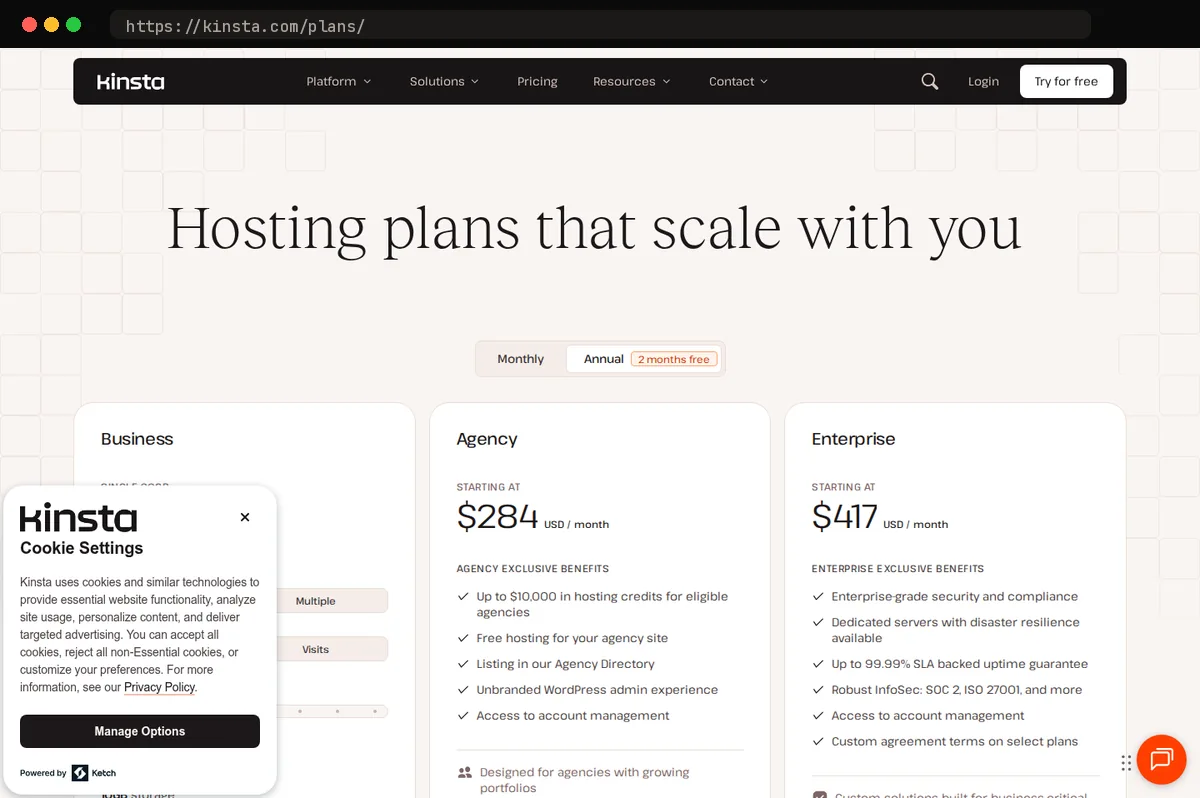
Before you commit, size the plan against your real traffic. Kinsta's single-site plans start at $35 a month, or $30 a month billed annually, for one WordPress install, 10 GB of storage, 125 GB of CDN bandwidth, and either 35,000 visits or 20 GB of server bandwidth, depending on which type of plan you choose. Each additional site is $30 a month, and multi-site plans start at $70 a month for two installs. Exceeding your visit or bandwidth limit means overage charges or a move to a higher tier, so pull your analytics for peak months, not average ones, and include image-heavy pages and downloads in your estimate. Kinsta does not bundle email hosting, so budget for a separate mail provider.
The runner-up and the budget pick
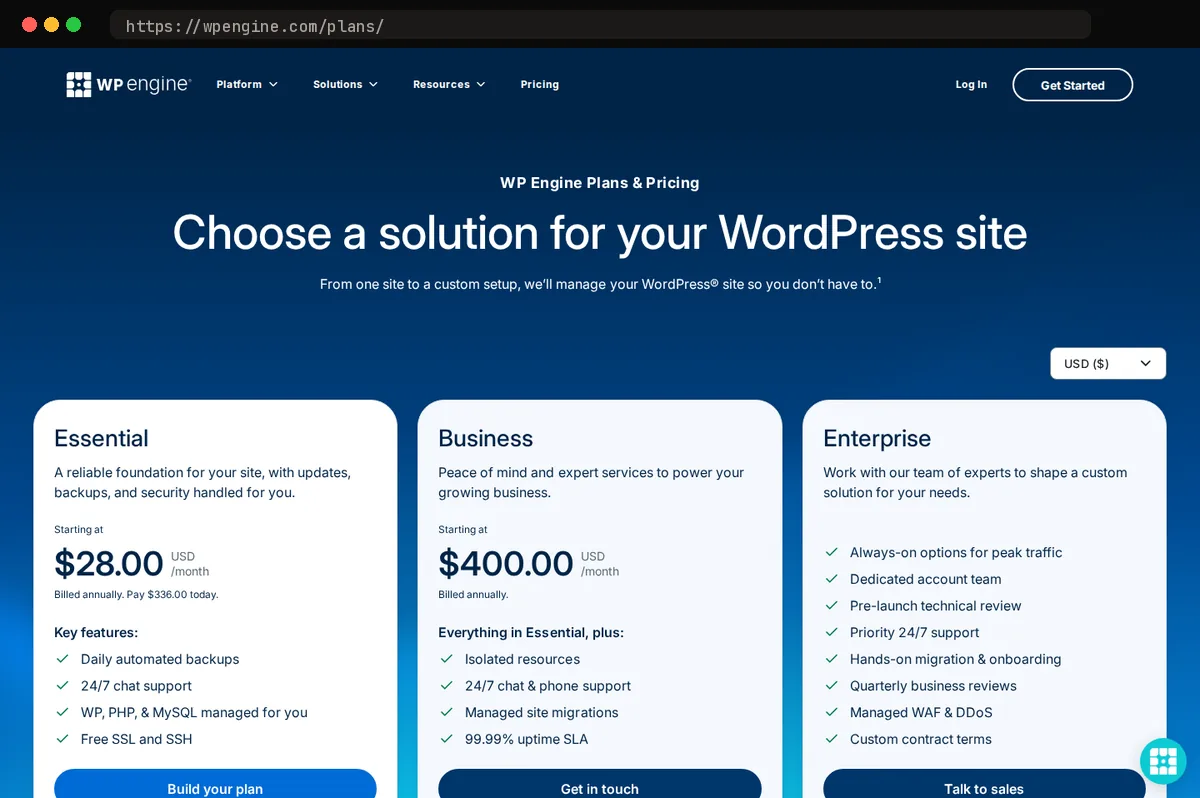
WP Engine is the runner-up for teams that care more about process than price. Its strengths are governance and workflow: separate development, staging, and production environments, SSH access on every plan, and Git-based deployment on the Business tier and above, with role-based access suited to larger teams with approval steps. It also has one of the more mature agency ecosystems in managed WordPress, so finding a developer or partner who already knows the platform is easy. The entry Essential plan covers one site, 25,000 visits a month, 10 GB of storage, and 75 GB of bandwidth for $28 a month on annual billing, with a global CDN and 24/7 chat included; phone support starts on the Business tier at $400 a month. Kinsta still comes out ahead for most buyers because it delivers strong performance and a cleaner day-to-day experience without WP Engine's heavier plan structure. Choose WP Engine if your organization already works in Git and needs formal controls.
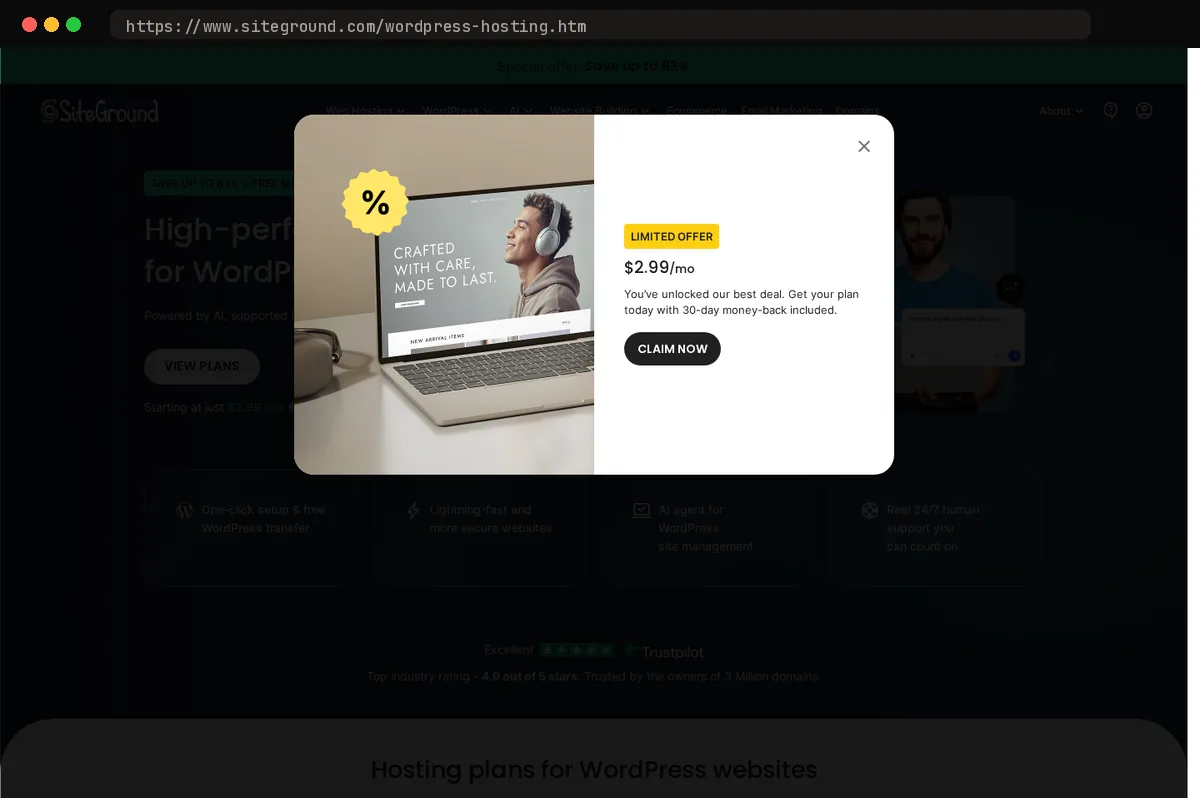
- SiteGroundStartUp*$2.99/mo*1 website, 10GB storage, 'unlimited traffic'
- KinstaSingle 20GB$35/moOur pick1 WordPress install, 20GB bandwidth, 10GB storage
- WP EngineEssential$35/mo1 WordPress site, 25,000 visits/mo, 10GB storage, 75GB band…
SiteGround is the budget pick for small business sites such as brochure sites, local service pages, and simple blogs. The StartUp plan is $2.99 a month for the first year for one site and 10 GB of storage, GrowBig is $4.99 for unlimited sites, 50 GB, staging, and on-demand backups, and GoGeek is $7.99 with 100 GB, Git, and priority support. All three include daily backups, a CDN, email hosting, SSH, and WP-CLI, which is a lot of managed-hosting substance at that price. The trade-offs are scaling and renewal pricing. The intro rates require a 12-month prepayment and renew at $17.99, $29.99, and $44.99 a month respectively, so compare the long-term cost, not the first-term price. Shared-style plans also have resource ceilings, so a site with traffic spikes or heavy WooCommerce activity will hit limits sooner and need a costly upgrade.
Cloudways suits teams that want more infrastructure control. You pick the cloud provider and server size (DigitalOcean plans start at $11 a month for a 1 GB server, with a three-day free trial and no card required), and you manage more yourself, including scaling decisions and server-level tuning. Staging and automated backups are included on every plan, support is 24/7, and a Cloudflare Enterprise CDN is a paid add-on from $4.99 per domain. That flexibility is useful if you have the skills for it and a drawback if you don't.
Try Cloudways free for three days
Side-by-side feature comparison
Use this grid for the details that decide day-to-day fit. Each cell is a summary, so confirm the specifics before you buy.
| Feature | Kinsta | WP Engine | SiteGround | Cloudways |
|---|---|---|---|---|
| Caching and CDN | Server-level caching, CDN included | Proprietary page cache, CDN included | Plugin-managed caching, CDN included | Breeze plugin, Cloudflare Enterprise add-on |
| Staging | One free environment, premium staging add-on | One-click, all plans | GrowBig and up | Included, all plans |
| Backups | Automatic daily, 14-day retention, hourly and external add-ons | Automatic daily | Automatic daily; on-demand on GrowBig and up | Scheduled, configurable; offsite storage billed per GB |
| Security tooling | Malware removal, Cloudflare DDoS protection | Managed threat blocking | Built-in scanning, AI anti-bot | Add-on security tools |
| Data center choice | 30 locations, chosen per site | Regions on Google Cloud and AWS | 11 locations on 4 continents | Depends on cloud provider |
| Support | 24/7 in 8 languages | 24/7 chat; phone on Business | 24/7 chat and phone; priority on GoGeek | 24/7; paid advanced tier |
| Developer features | SSH, Git, WP-CLI, APM monitoring | SSH, WP-CLI; Git on Business | SSH, WP-CLI; Git on GoGeek | Full server access, Git, WP-CLI |
| Plan limits | Visits or bandwidth, storage, CDN | Visits, storage, bandwidth | Storage; "unlimited" traffic within fair use | Server resources, not visits |
Kinsta stands out because its caching, staging, and application performance monitoring work out of the box. The others make you configure more or pay extra for it.
Several details shift often, so check the vendor's current pricing page for backup retention, visit and storage caps, which tiers include staging, data center lists, and support channels before you commit. Cross-check this grid against the at-a-glance table below before you shortlist.
How to choose and migrate without downtime
Match the plan to the team, not the other way around. Kinsta is our pick for all four profiles below, but what you pay attention to differs.
- Agency: Prioritize multi-site management, client access controls, and one-click staging. Kinsta's dashboard handles many installs from one place, though each install counts against your plan or adds $30 a month.
- In-house marketing team: You want fewer support tickets and no server work. Look at support responsiveness and built-in caching, not raw specs.
- WooCommerce store: Check that cart and checkout pages bypass the page cache and that the plan covers your database load. Test checkout on staging before you commit.
- High-traffic publisher: Compare how each host bills traffic overages and handles spikes, and get written answers on the visit and bandwidth limits for your plan.
Migration checklist
- Audit plugins. Remove anything unused, and flag caching plugins that duplicate host-level caching.
- Build and test on staging. Click through forms, logins, and checkout.
- Lower your DNS TTL a day or two ahead so the cutover propagates quickly.
- Cut over during your quietest traffic window, and freeze content edits until it's done.
- Verify SSL, redirects, and canonical URLs. Then check the sitemap and search console.
- Monitor uptime, error logs, and page speed for the first week.
When is managed hosting not worth the cost? If you run a low-traffic brochure site that rarely changes, with no revenue tied to uptime, shared hosting plus a good backup routine is enough. The same goes if you have in-house sysadmins who want root access. Managed hosting pays off when downtime, security patching, or support time costs more than the hosting bill.
At a glance
| Tool | Strengths | Tradeoffs |
|---|---|---|
| Kinsta | Fast, isolated infrastructure on Google Cloud; polished MyKinsta dashboard; built-in CDN, monitoring and staging; strong WordPress-specialist support; 30 data center locations. | Premium pricing from $35 a month; plans are capped by visits or bandwidth, so overages are possible; no bundled email hosting; hourly backups cost extra. |
| WP Engine | Mature enterprise and agency tooling; Git and staging workflows; strong security and compliance posture; large partner ecosystem. | Visit-based plan limits and overage costs; Git deployment and phone support only on the $400-a-month Business tier; a higher entry cost than small sites need. |
| SiteGround | Low entry cost for small sites; good bundled caching and tools; email included; beginner-friendly interface. | Renewal prices are roughly six times the intro rate; resource limits become restrictive as traffic grows; fewer advanced developer and scaling options. |
| Cloudways | Flexible choice of underlying cloud providers; pay-as-you-go style scaling from $11 a month; more server-level control; good value for technical teams. | Less hands-on WordPress-specific support; more server management falls to the user; the experience is less turnkey than fully managed hosts. |
Bottom line
Kinsta is the pick for most teams that want managed WordPress hosting without running the stack themselves. Its Google Cloud infrastructure, built-in caching, and staging and backup tools cover the work agencies and growing sites would otherwise handle by hand. Support staff who know WordPress can resolve plugin conflicts and slow queries, not just reboot servers.
The main caveat is cost. Kinsta prices by site count and monthly visits or bandwidth, so a small brochure site or a large portfolio of low-traffic sites can end up paying for capacity it never uses. Check the current plan limits against your traffic before committing. If budget is the deciding factor, start with SiteGround or Cloudways, but expect to do more of the tuning yourself.
Related guides
This article contains affiliate links. We may earn a commission on qualifying purchases at no extra cost to you. Our recommendations are independent and research-driven, and we say when a pick is not hands-on.
Test Picked Editorial
Edited by Adam Ryan. Gear picks come from equipment running in his own homelab and workshop. Software picks are researched comparisons.


