Cloudways is the best cloud hosting for small business
This article contains affiliate links. We may earn a commission on qualifying purchases at no extra cost to you. Our recommendations are independent and research-driven, and we say when a pick is not hands-on.
Cloudways is our pick for cloud hosting for small business because it puts managed WordPress and PHP hosting on top of DigitalOcean, Vultr, AWS, or Google Cloud servers without making you run the server yourself. Prices checked October 2026. This comparison is for owners and small teams who need a fast, reliable site but have no one on staff to patch Linux, tune caching, or restore a backup at 2 a.m. We weighed monthly cost at the entry plan, which cloud providers each host supports, how staging, backups, and SSL are handled, and how much support you get before paying extra. Our Cloudways verdict is research-driven, based on published plans, documentation, and user reports rather than a long-term hands-on deployment.
| Role | Tool | Why |
|---|---|---|
| Pick | Cloudways | cloud performance and headroom at a flat monthly price that never jumps at renewal |
| Runner-up | Kinsta | the fastest and most hands-off option if you'll pay a premium for support |
| Budget pick | Hostinger | the most features per dollar for modest sites and multi-site owners |
How the best cloud hosting for small business options compare
Prices checked October 2026.
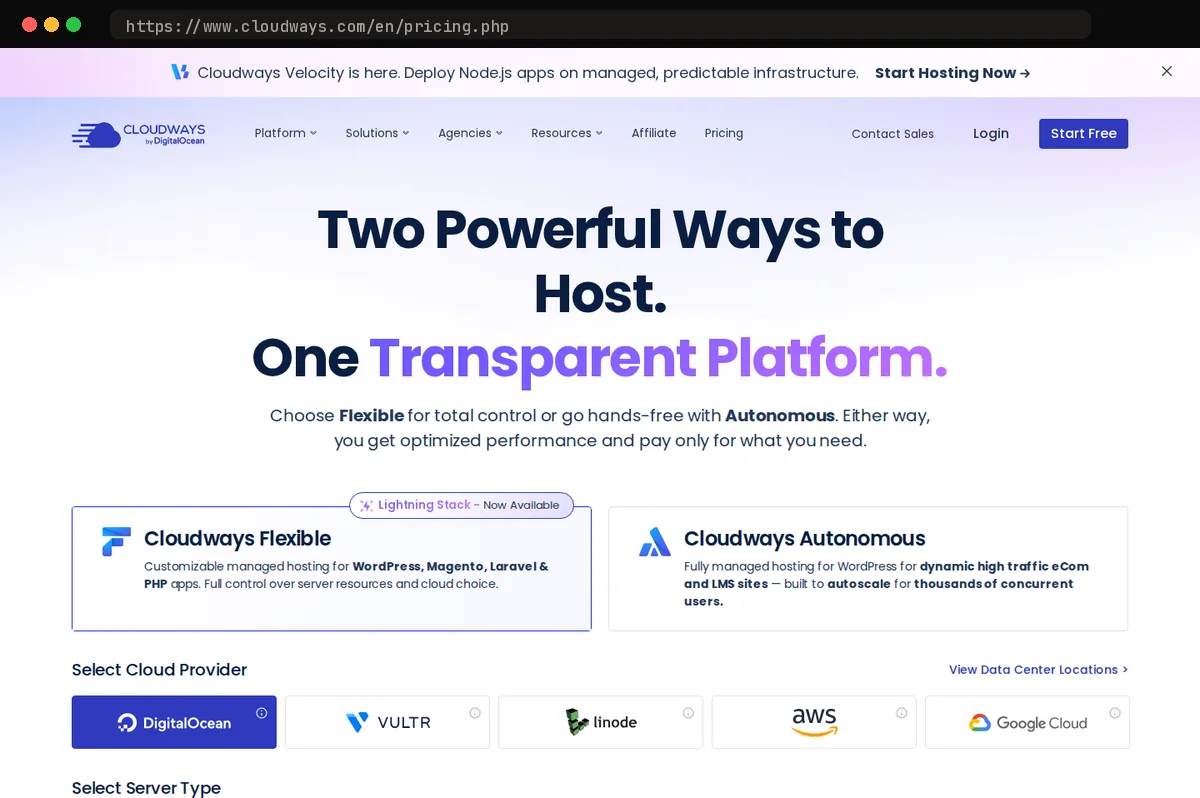
Cloudways is our pick because it separates the hosting layer from the infrastructure: you choose the underlying provider and server size, and Cloudways handles patching, caching, backups, and staging. The entry DigitalOcean plan, now named Micro (2GB RAM, 1 vCPU, 50GB storage, 2TB transfer), starts at $11 per month and scales vertically without a migration. The tradeoff is that you still think in servers, not sites, and email hosting is an add-on.
Kinsta removes that server-level thinking entirely but charges per site and visit allowance. Hostinger wins on price, with less control over the stack. DigitalOcean and Vultr directly are cheaper still, but unmanaged. This verdict is research-driven, not hands-on.
What cloud hosting actually buys a small business
Shared hosting rents you a slice of a server you share with hundreds of other sites. When one of them gets scraped by a bot or runs a broken cron job, your checkout page slows down too, and nobody tells you why. Cloud hosting changes the arrangement: you get a defined allotment of CPU, memory, and storage on infrastructure run by DigitalOcean, Vultr, AWS, or Google Cloud, and that allotment is yours regardless of what anyone else is doing.
For an owner-operator, that translates into three things you can feel. Mornings stop being randomly slow. You can add capacity before a sale or after a press mention without migrating to a new host. And when a plugin misbehaves at 2 a.m., it degrades your server, not a stranger's, which means the fix is in your hands.
The catch is that "cloud" is sold three different ways, and the label alone tells you little. Cloudways resells raw servers from those providers and adds a management layer on top, so you pick the underlying infrastructure yourself. Kinsta and SiteGround sell a curated managed stack built on Google Cloud, where the platform decisions are made for you. Hostinger sells what is effectively a larger shared-hosting plan under the cloud name, with more resources but less isolation.
We compared all four on what a business without a sysadmin actually experiences: page speed under load, how pricing behaves once the introductory term ends, whether support can fix a problem rather than describe it, and how far you can grow before you have to re-platform. Cloudways came out ahead on that scorecard, mostly because the server scales with you instead of forcing a move.
Performance and infrastructure
Cloudways is the only one of the four that lets you pick the machine under your site. You choose the provider (DigitalOcean, Vultr, AWS, or Google Cloud) and the server size, start on a small DigitalOcean droplet, and scale vertically with a click when traffic grows. The stack ships with server-level caching (Varnish, Redis, and Memcached are available), and you can add Cloudflare Enterprise CDN as an option. That control is why it is our pick: you decide where the money goes when you need more headroom.
Kinsta runs exclusively on Google Cloud's premium-tier network with Cloudflare edge caching built in. In our research it consistently posts the fastest time-to-first-byte of the group, and it needs no tuning to get there. The tradeoff is that Kinsta meters you by monthly visits rather than server resources, so a traffic spike costs you money even when the server itself is nowhere near its limit.
SiteGround moved its platform to Google Cloud and pairs it with its own caching layer and CDN. Its shared tiers perform well above typical shared hosting, but note that SiteGround's true cloud tier is a separate, pricier product with different resource rules.
Hostinger's cloud plans are LiteSpeed-based with NVMe storage and are quick for brochure sites and small stores. Reviewers report throttled write speeds and resource ceilings that surface on demanding sites, so it is the weakest choice if you expect to grow.
For raw control and headroom, Cloudways. For out-of-the-box speed with zero tuning, Kinsta.
Pricing models and what renewal looks like
Cloudways is the only one of the four with no renewal event. You pay month-to-month for the server you provision, starting at $11 per month for the smallest DigitalOcean instance, and there is no introductory discount to expire. Month thirteen costs what month one cost, and if traffic drops you can resize downward instead of eating a prepaid year. The catch is add-ons: malware scanning, offsite backups, and the enterprise CDN each carry their own monthly fee, so budget the base plan plus the two or three extras a business site genuinely needs rather than the bare server.
- CloudwaysFlexible – Micro$11/moOur pick1 server: 2GB RAM, 1 vCPU, 50GB storage, 2TB transfer
- KinstaSingle 20GB$35/mo1 WordPress install, 20GB server bandwidth/month, 10GB stor…
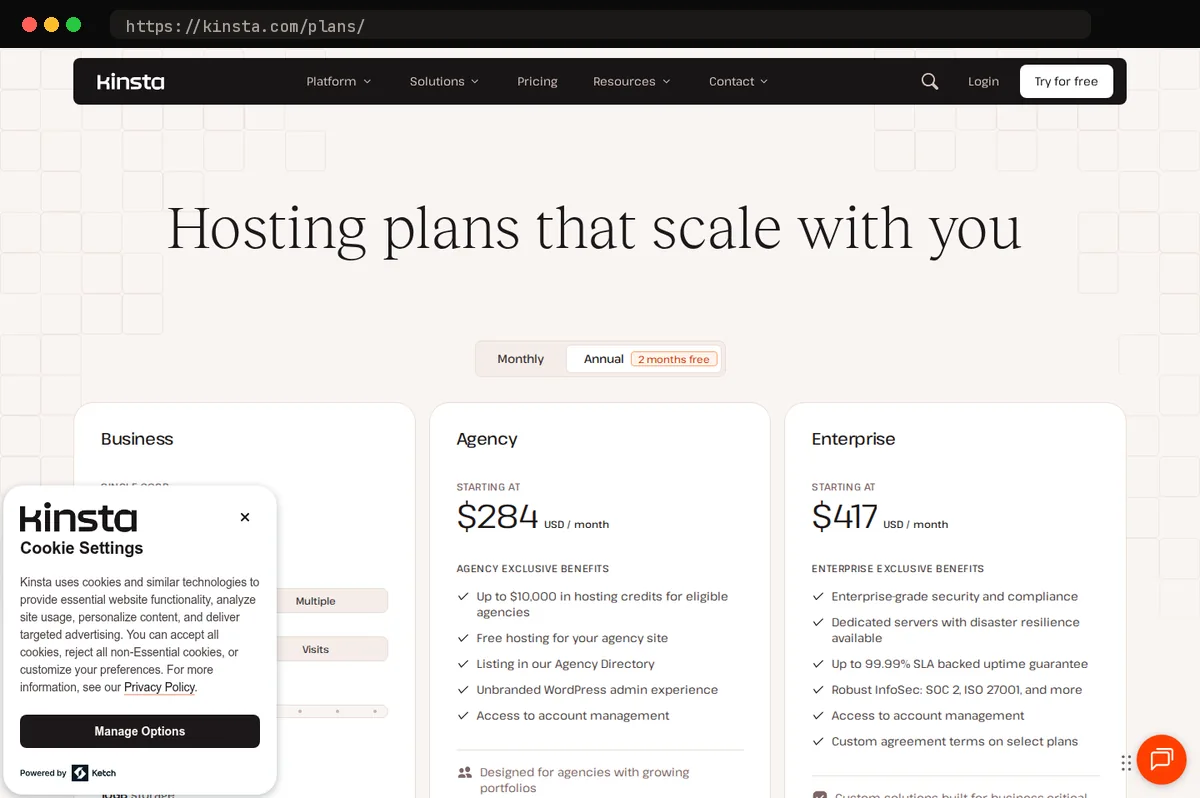
Kinsta is the premium option and bills on monthly visit tiers. Its entry plan (Single 35k, the former Starter) starts at $35 per month, or $30 per month billed annually, with a cap of 35,000 visits per month; exceed it and you pay a per-visit overage, which means a post that goes viral costs money but does not take the site down. Nothing is locked in, and there is no promotional rate to lose.
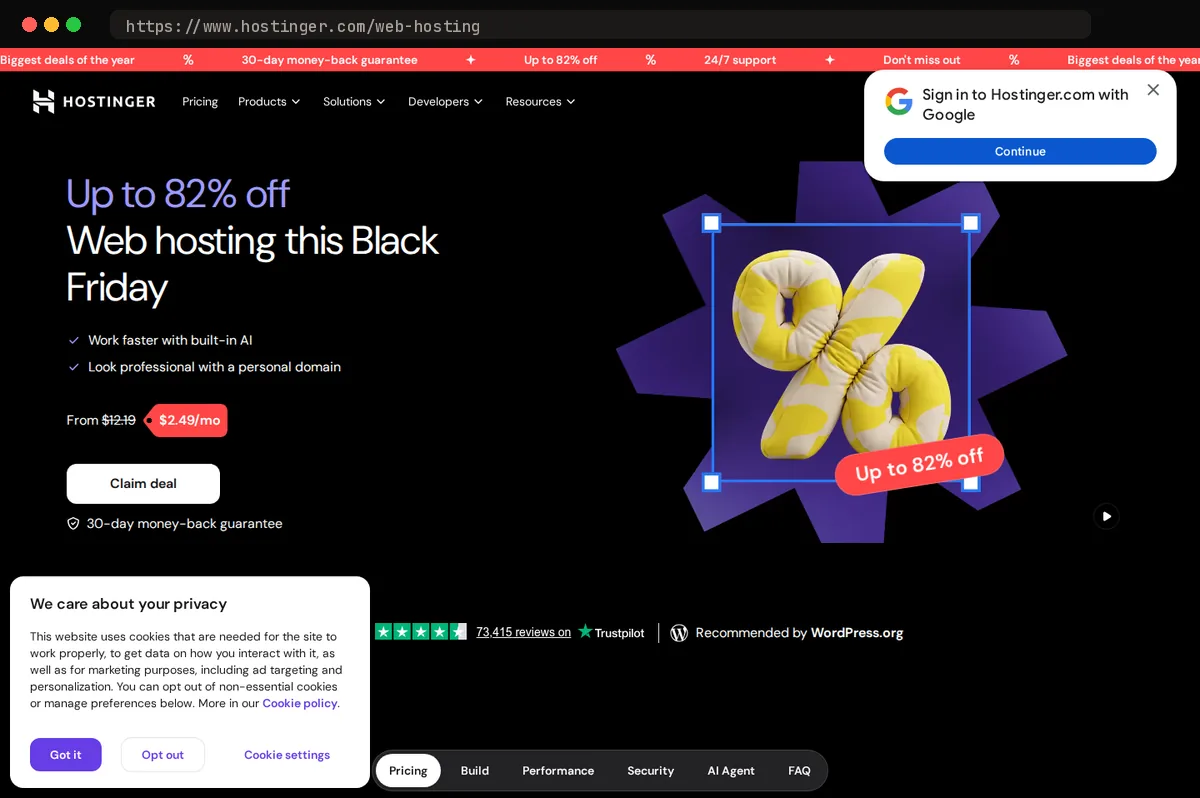
SiteGround and Hostinger both lead with steep promotional pricing that requires a long prepaid term. SiteGround's GrowBig renews at $29.99 per month after a $4.99 per month promotional rate that requires 12 months prepaid, several multiples of the headline figure. Hostinger's Unlimited plan (which replaced Business in July 2026) renews at $16.99 per month after a $3.49 promotional rate on a 48-month term, and its Cloud Startup plan renews at $25.99 per month; both hosts get cheaper per month the longer you prepay up front.
Fully equipped, a Cloudways server costs more per month than Hostinger's Unlimited plan at renewal and well under Kinsta's entry tier, with none of the lock-in.
Ease of use and support for non-technical owners
If you want a dashboard that hides every moving part, Cloudways is not the gentlest of the four, and we will say that plainly. You will see words like "server" and "application" on day one, and the first screen asks you to choose a cloud provider before you have a site. The platform does handle patching, backups, and SSL for you, and its 24/7 chat has been competent in our experience, but it assumes you can tell a server from a site. For most owners that hump is a one-afternoon problem, and it is the single reason Cloudways is the pick for owners who want control, not for someone who never wants to think about hosting at all.
Kinsta's MyKinsta dashboard is the most polished of the group. Its support staff are WordPress engineers, which matters when something breaks at 7 a.m. on a Monday and you need someone who can read a plugin error, not just restart a service.
SiteGround's Site Tools is clean and uncluttered, and its chat and phone support are consistently rated well by the small-business owners we hear from. If talking to a human by phone is a hard requirement, SiteGround is the only realistic option here; Kinsta's technical support is chat-only (its phone line is sales only).
Hostinger's hPanel is the most beginner-friendly panel of the four and bundles AI tools for writing content and troubleshooting, so a first site can be live quickly. The tradeoff is support: there is no phone line, and the depth of chat help varies from one agent to the next.
Scaling, staging, and running more than one site
Most small businesses don't stay at one site. A landing page becomes a store, then a second brand, then a client project you agreed to host. How each provider charges for that growth matters more than any single feature.
Cloudways prices by server, not by site. Its pricing page puts no limit on applications per server and charges no per-site hosting fee (only optional add-ons like malware protection are billed per app), so a second or third site costs nothing extra until the combined traffic needs more RAM, at which point you resize the server rather than buy another plan. Staging, one-click cloning, and team member access are included on every tier, starting from the entry server at $11 per month. For an owner who expects to launch a WooCommerce store that will grow, that per-server math is the deciding factor.
Kinsta's single-site plans start at $35 per month, with multi-site WordPress bundles running from WP 2 (2 installs, $70 per month) through WP 40 ($450 per month) and Agency plans from $340 per month. Its staging environments and API are excellent, but adding a third small property means paying for it explicitly.
SiteGround's GrowBig and GoGeek shared tiers allow unlimited sites and include staging, but all of them share one resource ceiling, so a traffic spike on one site slows the rest.
Hostinger's cloud plans (Startup, Professional, and Enterprise) have allowed unlimited websites since June 17, 2026, and include staging; its Unlimited shared plan is also unlimited, while Premium is capped at 3 sites. That makes it the most generous budget option for juggling several small, low-traffic properties.
If you expect three or more sites, Cloudways gives you room to add them without renegotiating your plan each time.
Which host fits which kind of small business
Our pick, Cloudways, is the right default for a small business that expects to grow and can tolerate a short learning curve. You get cloud infrastructure on flat month-to-month pricing, with the entry plan starting at $11 per month, and you scale by resizing the server rather than migrating to a new tier. The tradeoff is that it is not a one-click experience: someone on your side, even a part-time contractor, should be comfortable with a server dashboard and basic DNS.
Kinsta makes sense when the website is the business and an hour of downtime costs real revenue. It is the premium option on price, starting at $35 per month ($30 per month billed annually) on the Single 35k plan, formerly Starter, but you are paying for the strongest dashboard and support of the four and for never managing anything yourself.
SiteGround suits owners who want a mainstream managed experience with phone support. The catch is the pricing structure: the advertised rate requires a long prepaid term, and renewal moves to a materially higher price. Budget for the renewal, not the promotion.
Hostinger is the budget pick when cost is the first constraint and your sites are modest in traffic and complexity. Its hPanel is easy to use, and it delivers the most features per dollar, though the headline rate also assumes a multi-year prepay.
The common mistake is choosing on year-one price alone. A host that is cheapest in year one and most expensive in year two is the wrong fit for a business that plans to still exist in year three.
At a glance
| Tool | Strengths | Tradeoffs |
|---|---|---|
| Cloudways | Choice of DigitalOcean, Vultr, AWS, or Google Cloud backend; flat pay-as-you-go pricing with no renewal shock; one-click vertical scaling; per-server rather than per-site pricing; built-in staging, backups, and server caching; optional Cloudflare Enterprise CDN; owned by DigitalOcean | Steeper learning curve than fully managed hosts; server access is more restricted than an unmanaged VPS; malware protection, offsite backups, and the CDN are paid add-ons; no email hosting included; no phone support |
| SiteGround | Google Cloud infrastructure with strong caching and CDN; polished Site Tools panel; well-rated chat and phone support; free migrations and daily backups; good WordPress and WooCommerce tooling | Large gap between promotional and renewal pricing; long prepaid terms required for the best rate; resource ceilings on shared tiers; dedicated cloud tier is expensive |
| Hostinger | Lowest promotional entry cost of the group (renewals of $16.99-$25.99 on the plans compared run above Cloudways' flat $11 entry server); LiteSpeed and NVMe stack is fast for small sites; beginner-friendly hPanel with AI tools; generous site limits and staging on cloud plans; daily backups on business tiers | Performance ceilings and throttled write speeds on demanding sites; best pricing requires multi-year prepayment; no phone support; cloud plans are managed shared hosting rather than true dedicated cloud |
| Kinsta | Fastest out-of-the-box performance on Google Cloud premium tier; excellent MyKinsta dashboard; expert WordPress support; built-in Cloudflare edge caching and security; overage billing instead of hard shutoffs | Highest price of the four; billed by monthly visits, so traffic spikes cost money; per-site pricing on entry tiers; WordPress-focused, so non-WordPress stacks need Sevalla, its separate application hosting brand |
Bottom line
Cloudways is our pick for most small businesses that want managed cloud hosting without hiring someone to run servers. You get managed WordPress and PHP hosting on your choice of DigitalOcean, Vultr, Linode, AWS, or Google Cloud, with backups, staging, and a firewall handled for you, starting at $11 per month. The main caveat: it is not shared hosting. You still manage sites, domains, and email through a control panel that assumes some comfort with hosting concepts, and email itself costs extra. If your business runs one brochure site and wants cPanel familiarity, a traditional shared host is simpler and cheaper. For anything you intend to grow, choose Cloudways.
Related guides
This article contains affiliate links. We may earn a commission on qualifying purchases at no extra cost to you. Our recommendations are independent and research-driven, and we say when a pick is not hands-on.
Test Picked Editorial
Edited by Adam Ryan. Gear picks come from equipment running in his own homelab and workshop. Software picks are researched comparisons.


